



One account, every section
Casino and sportsbook sit under one login. Balance, betting history, account details and settings belong to the account, not to the phone. Moving from a slot to a live table or a football market does not mean a second login, and changing phones does not create a new profile. The practical point for a session is simple: everything you do on any device lands in the same history, so that history is where you look when you are not sure what happened.
What each format asks of your phone
| Format | Examples on PLAYDASH | What it needs from the phone | Where an interruption shows up |
|---|---|---|---|
| Slots | Thousands of titles from 38 providers, such as Pragmatic Play, KA Gaming, Spinomenal and Playtech | Moderate data; some studios use heavy animation | A spin that seems to stop mid-animation |
| Live casino | Roulette, blackjack, baccarat, Dragon Tiger; Evolution among the studios | A stable connection for continuous video | A frozen or low-quality stream while a round continues |
| Instant games | Aviatrix, Chicken Road 2.0, TVBet | Quick response during short rounds | A round that ends while the page is reconnecting |
| Sportsbook | Football, basketball, esports, tennis, cricket and more; live markets | Updates as odds and scores change | A bet slip that does not confirm, or a market that closes |
Live video is the most demanding format. Older phones may struggle with it even when slots run smoothly, and installing another file will not fix hardware limits. Providers also differ: some studios use detailed animation that needs more memory, while simpler interfaces may load more easily on older devices.
Prepare the phone before a session
A few minutes before you start saves most mid-session problems:
- Use an up-to-date browser and install pending system updates.
- Close apps and browser tabs you are not using, so that the game has enough memory.
- Check the connection. A private network is preferable to public Wi-Fi, and a stable signal matters most for live tables.
- Turn the phone to landscape for live tables. The video feed and betting controls are generally easier to use with more horizontal space.
- Keep the screen lock set; it protects the account if you leave the phone.
Choosing games that suit the phone
Providers create the software, mathematics and presentation behind each title, and on a phone the differences become practical. Titles can vary in loading speed, how well they are optimised for small screens, available stake limits, volatility and bonus mechanics. Some studios use detailed animation that needs more device memory; others use simpler interfaces that may load more easily on older phones.
The lobby's filters help you narrow the choice without scrolling through thousands of tiles:
- Jackpot groups titles with prize pools that can grow under each game's rules.
- Bonus Buy marks games where a separate stake opens the bonus feature directly. On a small screen, check the price before you confirm.
- High RTP groups titles by theoretical long-term return. RTP describes a long run of play, not what will happen in one session.
- Asian themes and other style filters sort by look and concept.
At live tables, limits, side bets and stream language can vary from one table to another, so check the table's own information panel before you sit down. A provider's name appearing in the lobby does not mean every one of its titles is active; the current lobby is the final word on availability. If a game is new to you, demo mode, where offered, is the lowest-cost way to learn its controls on a phone.
Was it accepted? The check before any repeat
The single most useful habit on a phone is to confirm that an action was recorded before you repeat it. PLAYDASH's own guidance puts it the same way: check whether a wager was recorded before refreshing a page, so that the same action is not submitted twice.
After a freeze in a casino game
- Do not tap the spin or bet button again.
- Wait a moment and let the page settle before doing anything else.
- If the page stays frozen, open the game or account history and look for the round you just played.
- If it is recorded, the round happened. Its result is in the history whether or not you saw the animation.
- Only then refresh the page. If problems continue, test the connection, close unused tabs, clear the cache or try another updated browser.
After a bet slip does not confirm
- Open your bets or betting history before placing anything again.
- If the bet is there, it stands; placing it again would create a second bet.
- If it is not there, check whether the market is still open and whether the odds have changed before rebuilding the slip.
If a problem continues, contact support with the game title and provider (or the event and market), the time of the error and a screenshot of the message on screen.
Live sports on a small screen
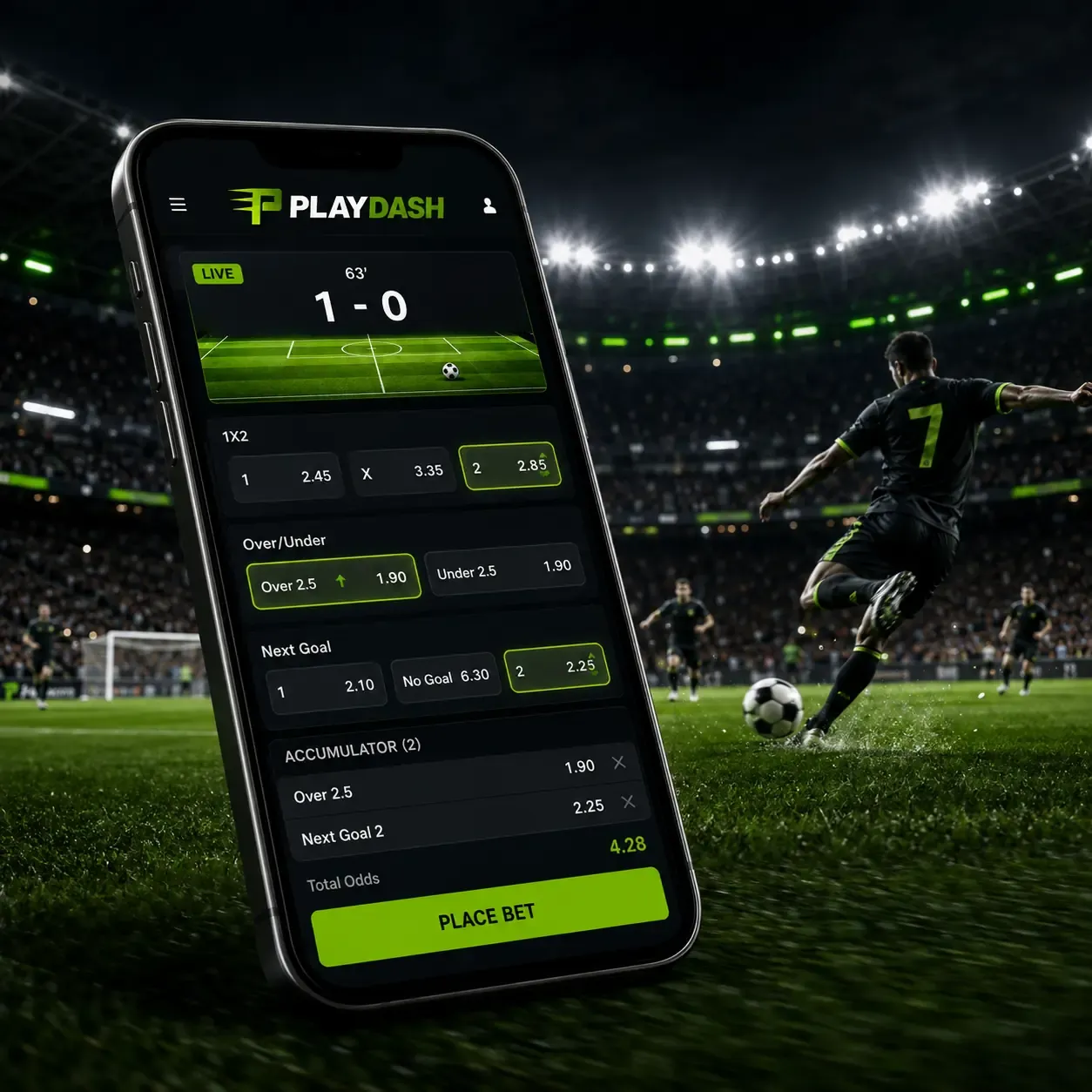
The sportsbook covers pre-match markets and live betting across football, basketball, esports, tennis, cricket, badminton, table tennis, volleyball, baseball, kabaddi, hockey, beach volleyball and more. Football shortcuts include the World Cup, EPL, La Liga, Serie A, Bundesliga and Ligue 1, and Top Parlay groups accumulator selections.
Three behaviours of live markets matter more on a phone, because a slow connection can hide them:
- Prices move. Scores and odds update while an event is running. The price on the slip when you confirm is the one that counts, not the one you saw a few seconds earlier.
- Markets pause. Some markets close temporarily during important moments, such as a goal or a penalty, then reopen with recalculated prices. A bet you tried to place during that pause may not have been accepted.
- Accumulators depend on every leg. A single contains one selection. A parlay multiplies the odds of several, but one losing selection means the whole ticket loses. A bet slip that is hard to read on a small screen is worth checking twice before you confirm.
Fast rounds and demo mode
Instant games such as Aviatrix and Chicken Road 2.0 use short rounds. In some formats a multiplier rises during play and you decide when to collect before the round ends. Short rounds do not improve your chances; they put more decisions into each minute, which makes spending harder to notice on a phone.
Selected games can be opened in demo mode, which is a useful way to learn a game's controls on a small screen before staking real money. Demo results do not count towards tournaments or challenges, and a demo balance cannot be withdrawn.
Switching between phone and computer
Because everything belongs to the account, you can start on one device and continue on another. The safe order is:
- Finish or let settle whatever is in progress (a live hand, a crash round, a bet slip being built).
- Check the history on the first device so that you know what was placed.
- Sign out of the first device if it is shared or not yours.
- Sign in on the second device with the same phone number or email and password.
- Check the balance and history there before placing anything new.
There is no technical limit on using more than one device, but unused sessions left open are an unnecessary security risk. Two people should not run separate accounts from the same phone: matching devices, network addresses or payment methods can be treated as signs of duplicate profiles and can remove bonus eligibility. If you genuinely share a device, raise it with support first.
Keep the pace in your hands
The convenience of a phone makes it easy to keep going: one more spin while waiting, one more market during a match. Practical boundaries help:
- Decide your session budget and end time before opening the lobby.
- Keep the same budget across sections. A loss on the sportsbook still counts when you switch to slots.
- Do not increase stakes to recover a loss, and do not top up mid-session.
- Use the transaction and betting history to check whether the session stayed within plan.
PLAYDASH lists deposit limits, cooling-off and self-exclusion among its account controls. Responsible gambling explains how to use them alongside a phone routine.
Frequently asked questions
Does a dropped connection cancel my bet?
Not necessarily. Check your betting or game history. If the wager is recorded, it stands and will be settled normally.
Why does live casino freeze when slots work fine?
Live tables stream continuous video, which needs a stronger connection than a slot. Move to a better signal, close other apps or switch to landscape.
Can I start a session on my phone and finish on my laptop?
Yes. The account, balance and history are shared. Check the history before placing anything new on the second device.
Do demo games count for challenges?
No. Demo results do not count towards tournaments or challenges, and demo balances cannot be withdrawn.
Next steps
If a session ends with a withdrawal, Mobile Cashier explains what to check before requesting it. If you are playing with an active offer, Rewards on Mobile shows where to see whether the reward and its conditions apply to the game you chose. For setup and sign-in from scratch, start with the overview.